

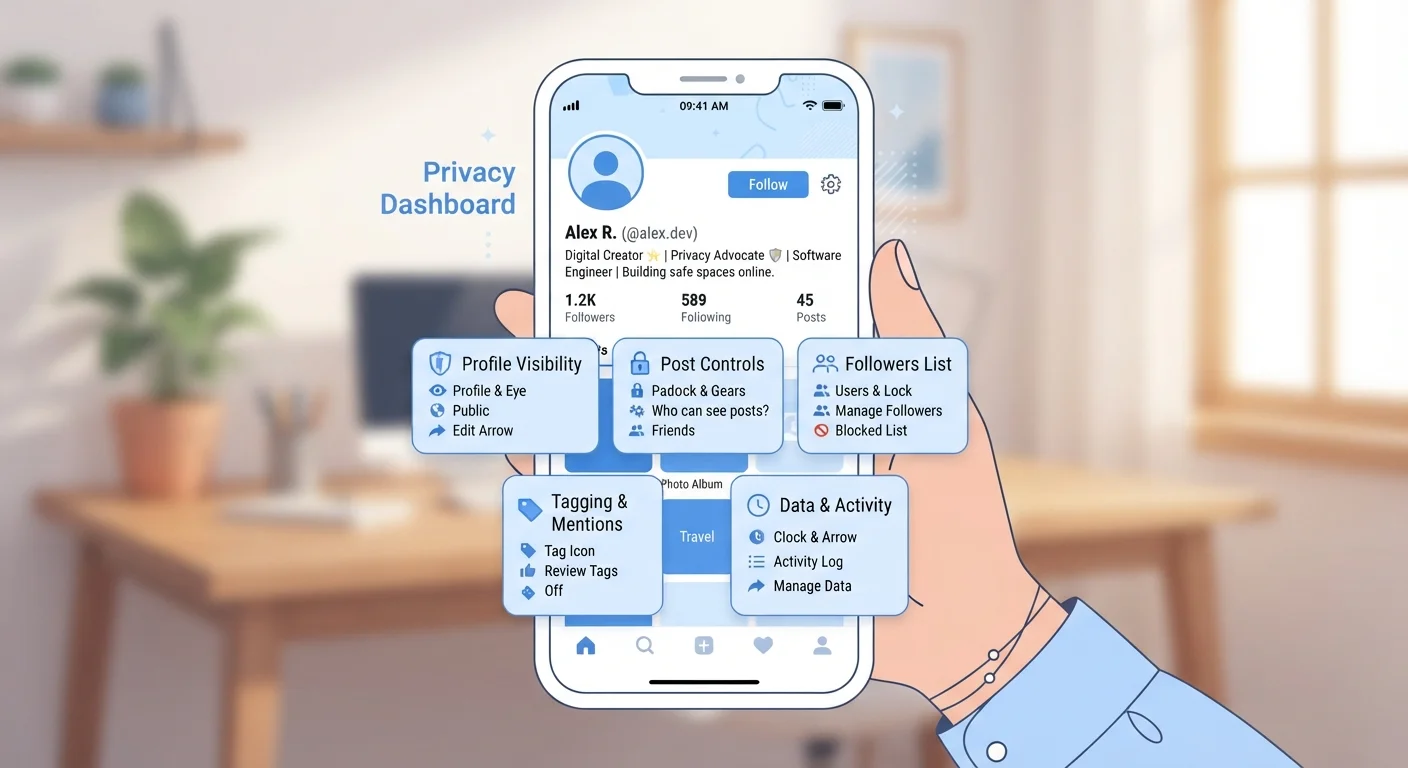
Key Takeaways
- Your profile photo, bio, and friend list can be visible to strangers by default.
- Tagged photos and location check-ins can expose your routines and home area.
- Liked pages and group memberships reveal personal interests, beliefs, and habits.
- Adjusting audience settings on each platform takes minutes and significantly limits exposure.
- Older posts may still be public even after you change current privacy settings.
More Is Visible Than You Might Think
Most people assume their social media profiles are relatively private — especially if they don't post often. But the default settings on many platforms are designed to make profiles as discoverable as possible. That means strangers, employers, advertisers, and data brokers may be able to see more than you'd ever consciously choose to share.
Even a profile that looks sparse can reveal a surprising amount: your full name, employer, hometown, profile photo, cover photo, and friend list are often public by default. Together, these details can be enough to identify where you live, work, and spend your time — without you ever posting a single status update. For a broader look at the data trail you leave online, see what your digital footprint actually includes.
Older Posts May Still Be Publicly Visible
Changing your privacy settings today does not automatically update the audience for posts you made in the past. Many platforms keep older posts at whatever setting was active when they were created. Look for a 'limit past posts' or similar bulk-update option in your settings to bring older content in line with your current preferences.
The Hidden Risks in Tagged Photos and Check-Ins
Photos you didn't post yourself can still appear on your profile or be linked to your account. When friends tag you in a picture, that image — and its metadata — can become part of your public presence unless you've enabled tag review, a setting that lets you approve tags before they appear on your profile.
Location check-ins and geotagged photos carry their own risks. Regularly checking in at your gym, your child's school, or your neighborhood coffee shop builds a public map of your daily routine. If your posts are public, anyone can piece together where you are at predictable times. Even images taken indoors can embed location data in their file metadata on some devices and apps.
What Liked Pages and Group Memberships Reveal
The pages you follow and the groups you join often sit quietly in your profile — easy to overlook but rich with personal detail. They can signal your political views, religious affiliation, health interests, financial situation, and relationship status. On many platforms, this information is public by default or visible to a much wider audience than your posts.
Advertisers and data brokers actively use this kind of information to build detailed profiles used for targeted advertising. Apps and platforms collect far more than most users realize — and the pages you engage with are a significant part of that picture.
Review and restrict your profile's default audience settings on every platform you use.
Platforms often default to the most open sharing settings to maximize reach and engagement. Without actively changing these, your posts and profile details may be visible to anyone on the internet, not just your connections.
Enable tag review so you approve photos before they appear on your profile.
Photos tagged by others can expose your location, appearance, and social connections without your knowledge. Tag review gives you a gatekeeping step before that content is associated with your account.
Audit and remove third-party apps connected to your social accounts.
Apps granted access to your social media account can read profile data, friends lists, and sometimes post on your behalf — even years after you stopped using them. Each connection is a potential data-sharing channel.
Limit personal details in your public-facing profile bio and contact fields.
Fields like phone number, email address, birthday, and hometown are often visible more broadly than your posts. They're also the details most useful for identity theft or targeted phishing.
Periodically use the 'view as public' or profile preview tool to see what strangers actually see.
Privacy settings can change after platform updates, and it's easy to forget which fields are open. Viewing your profile as a non-connected user shows exactly what's exposed right now.
Simple Habits That Make a Real Difference
You don't need to be a tech expert to meaningfully reduce your social media exposure. A few deliberate habits — practiced consistently — can significantly limit what others can see about you.
Start by auditing your current privacy settings on every platform you use. Look for audience selectors on your posts, profile fields, and friend or follower lists. Many platforms allow you to limit old posts in bulk — worth doing if your settings were previously open. Also review which apps have been granted access to your social media accounts; removing unused third-party connections reduces the number of places your data flows.
For a wider view of reducing your data trail across apps generally, practical habits for safer everyday app use covers the topic in depth.
Check Your Settings After Every Major App Update
Social media platforms occasionally reset or alter privacy settings when they release major updates or redesign their interfaces. It's a good habit to revisit your privacy settings every few months — not just when you first set up your account. Set a calendar reminder to do a quick privacy checkup each quarter.