

Key Takeaways
- Envelope budgeting assigns every dollar to a named spending category before you spend it.
- You don't need physical cash — digital envelopes in a spreadsheet or app work just as well.
- Seeing a category balance hit zero is the signal to stop spending in that area for the month.
- Reviewing and adjusting your envelopes monthly keeps the system realistic over time.
- Digital envelope budgeting pairs naturally with habits that reduce decision fatigue around money.
What you will need
What Envelope Budgeting Actually Means
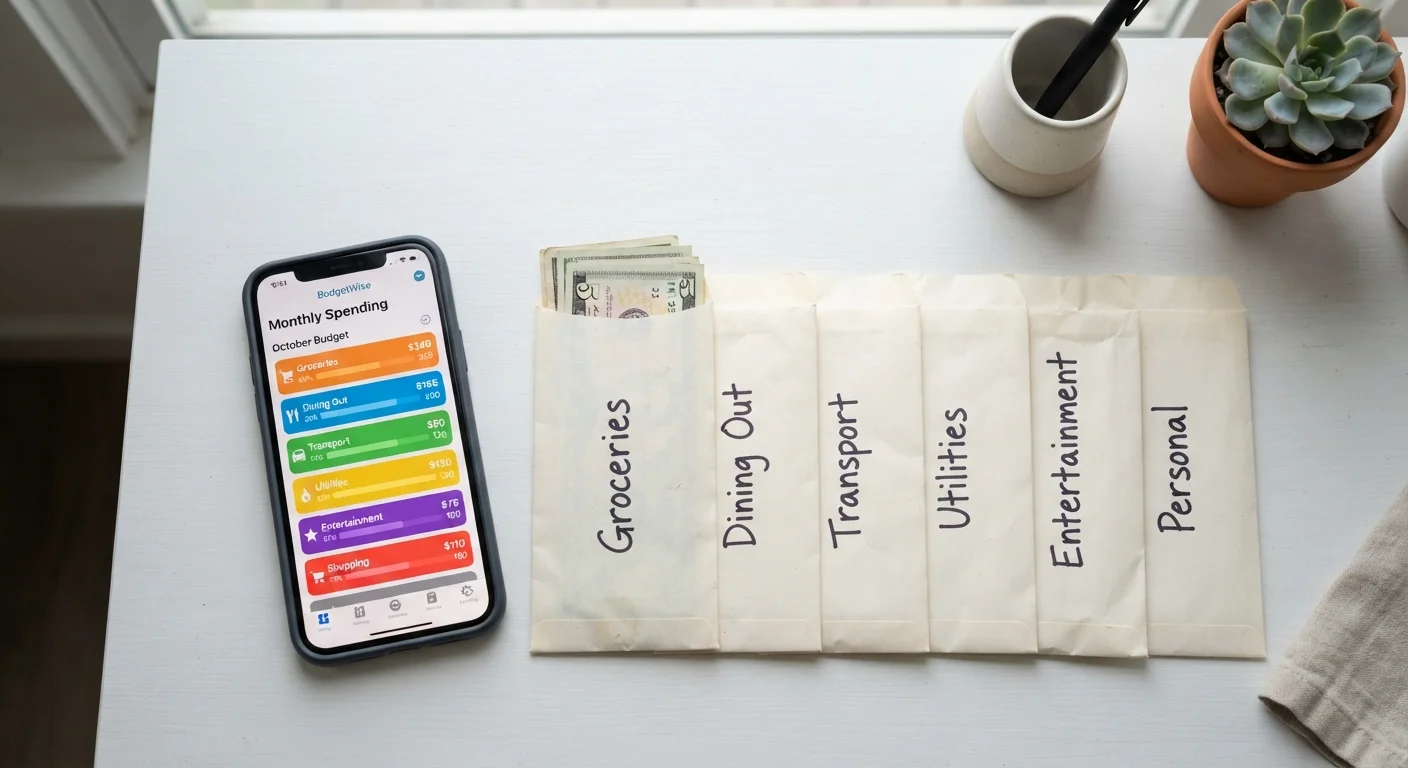
The original envelope system was simple: cash your paycheck, divide the bills into labeled envelopes — Groceries, Gas, Dining Out, and so on — and spend only what's inside each one. When an envelope ran empty, spending in that category stopped. No math required. No willpower debate. The constraint was physical.
The underlying idea has nothing to do with paper or cash, though. It's about pre-committing your money to specific purposes before temptation, habit, or impulse gets a vote. That principle survives perfectly in a world where most of us swipe cards and tap phones.
If you're not familiar with terms like discretionary spending or net income, the budgeting glossary for beginners covers the vocabulary you'll encounter here. And if you're curious how this method compares to other frameworks, see zero-based budgeting vs. the 50/30/20 rule — envelope budgeting is closely related to the zero-based approach.
What you will need
Setting Up Your Digital Envelopes
The setup phase is where most people either get it right or drift into vagueness. The goal is to turn your income into a complete list of named buckets with dollar amounts that add up to exactly what you earn each month — nothing left over, nothing unassigned.
Spreadsheet (Google Sheets or Excel)
Create labeled columns for each spending category, track deposits and spending, and calculate running balances without any subscription fee.
Dedicated budgeting app
Apps built around envelope or zero-based logic can automate transaction imports and send alerts when a category runs low.
Bank or card statements (2–3 months)
Reveal actual spending patterns so your envelope amounts are grounded in reality, not optimistic guesses.
List every spending category you actually use
Go through your last two or three months of statements and write down every category where money left your account. Start broad — Housing, Transportation, Food, Utilities — then split categories where your spending varies and matters to you (e.g., separate Groceries from Dining Out).
Assign a dollar amount to each category
Use your statement history as a baseline, then decide whether each category's historical average is something you want to keep, reduce, or increase. Every category gets a specific number — not a range, not a vague intention.
Create your digital envelopes
In your chosen tool, set up a row or field for each category showing: the budgeted amount, the amount spent so far this month, and the remaining balance. In a spreadsheet, a simple formula (=Budget - Spent) handles the math automatically.
Log every transaction as it happens
Each time you spend — card, phone tap, or online payment — subtract it from the correct envelope. This is the one non-negotiable habit. Without real-time (or near real-time) logging, your balances become fiction and the system stops working.
Review and reset at the start of each month
At month's end, look at which envelopes ran dry early, which had money left over, and whether any categories were missing entirely. Adjust amounts for next month based on what you actually learned — not what you hoped would happen.
Start with Fewer Categories
When you're new to envelope budgeting, resist the urge to track every micro-category. Start with your five or six biggest spending areas and add more detail only once the core habit feels automatic. A simple system you actually use beats a perfect system you don't.
Common Pitfalls and How to Handle Them
Even a well-designed system runs into friction. Here are the situations that trip people up most often:
- Raiding other envelopes: Moving money from Groceries to cover an overspent Dining Out envelope is allowed — but do it consciously and record it. If you're consistently robbing the same envelopes, that's a signal those categories are under-funded, not that you lack discipline.
- Irregular income: Freelancers and hourly workers can still use this system. Budget from your lowest expected monthly income, and treat any extra as a bonus that fills lower-priority envelopes.
- Forgetting to log card purchases: The biggest gap between physical and digital envelopes. Set a daily two-minute habit of opening your tracking tool and logging any transactions you missed.
If the system starts feeling like it's not matching your real life, that's a healthy sign — it usually means your category amounts need adjustment, not that you should abandon the method. The signs your budget needs a rethink article can help you diagnose what's off.
For a deeper look at whether a dedicated app makes sense for you — including the privacy and effort trade-offs — see the case for and against budgeting apps. And if you want the system to run with less mental effort over time, habits that keep a budget running without constant willpower pairs naturally with this approach.
Don't Let 'Digital' Mean 'Invisible'
One reason physical envelopes worked so well is that empty meant empty — there was nothing left to spend. Digital envelopes only work if you treat a zero balance with the same finality. If you routinely override your own envelopes without recording the move, the system loses its core function. Build the habit of checking your balances before spending, not after.
This article is for general informational and educational purposes only and does not constitute personalized financial advice. Consider consulting a qualified financial professional for guidance specific to your situation.