
Subscriptions That Pile Up: How App Billing Works and Why It's Easy to Lose Track

Key Takeaways
- Free trials convert to paid subscriptions automatically unless you cancel before the trial ends.
- A single app may offer multiple pricing tiers, each unlocking a different set of features.
- Charges can come from different sources — app stores, the app's own website, or third-party processors.
- Cancelling an app does not automatically cancel its subscription; these are separate actions.
- Reviewing your bank or credit card statements monthly is one of the most reliable ways to catch forgotten subscriptions.
App Subscription Billing
App subscription billing is a payment model where you pay a recurring fee — usually monthly or annually — to continue accessing an app or digital service. Unlike a one-time purchase, the charge repeats automatically until you actively cancel. These subscriptions often start with a free trial period before the first payment is collected.
Billing is typically processed through platform stores (such as Apple App Store or Google Play) or directly by the app developer, meaning cancellation procedures can differ depending on where you originally subscribed.
How App Subscription Models Are Structured
Most apps that charge on a recurring basis use one of a few standard structures. Understanding these models makes it much easier to know what you're agreeing to before you hand over a payment method.
The Free Trial Gateway
Free trials are the most common entry point into a subscription. An app offers full or partial access for a set period — often 7 or 14 days — with no immediate charge. What many users miss is that a valid payment method is required to start the trial, and the charge fires automatically the moment the trial window closes. There's usually no reminder email on the day before it converts.
Tiered Pricing Plans
Many apps offer multiple pricing levels — a free tier with limited features, a mid-range plan, and a premium tier with everything unlocked. Each step up in price unlocks more functionality. The practical effect is that users who need a specific feature may feel pushed toward a higher tier even if they only need that one addition.
Monthly vs. Annual Billing
Apps nearly always offer both monthly and annual billing options. Annual plans are marketed as the better deal per month, and mathematically they often are — but they commit you to a full year of charges upfront. If you forget to review the subscription before the annual renewal date, you've just paid for another year before you had a chance to reconsider.
Where You Subscribed Matters for Cancellation
If you subscribed to an app through the Apple App Store, you must cancel through Apple — not through the app or its website. The same applies to Google Play subscriptions. Subscriptions set up directly on an app's website are managed through that site's account settings. Getting this wrong is one of the main reasons people think they've cancelled when they haven't.
Why Charges Accumulate Without You Noticing
Subscription fatigue is a real phenomenon. Research from financial tracking services consistently finds that consumers underestimate how much they spend on recurring digital charges each month. There are a few structural reasons why this happens.
Charges Come From Multiple Sources
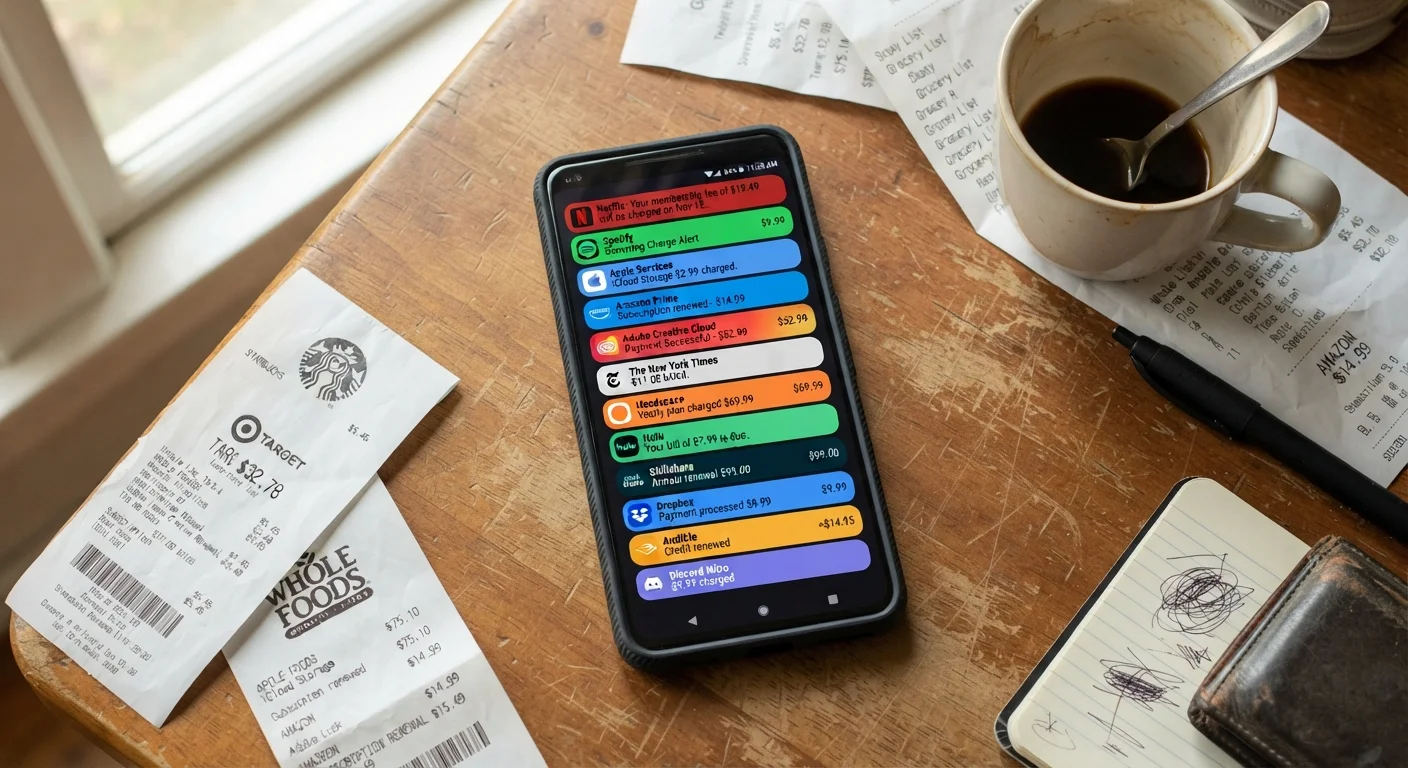
One subscription might be billed through Apple. Another through Google Play. A third is billed directly by the app company. A fourth goes through a third-party payment processor. Because these charges don't appear under one name or in one place, they're easy to overlook individually — even when they add up to a significant monthly total. This fragmentation is one of the hidden culprits behind budget drift, and it's worth reading more about in our guide to why budgets quietly unravel.
Small Amounts Feel Inconsequential
A $2.99 charge barely registers when scanning a bank statement. App developers are well aware of this psychology. Pricing at just below a psychologically significant round number — $4.99, $9.99 — is intentional. Ten of those subscriptions total over $60 a month, but each individual line item feels trivial in isolation.
Cancellation Paths Are Deliberately Non-Obvious
Subscription cancellation is not always a single button press. Some apps require you to navigate several menus. Others send you to a web browser even if you subscribed on a mobile device. A few use "pause" flows designed to make you reconsider before you reach an actual cancellation confirmation. These friction points are by design, and understanding them helps you push through them. For a deeper look at what you're agreeing to when you tap "continue," our article on what app terms of service actually say is worth your time.
$219/mo
Average estimated consumer subscription spend
A 2022 survey by C+R Research found that consumers underestimate their monthly subscription spending by a wide margin, with actual spending averaging around $219 per month across all services.
42%
Users who forgot they had an active subscription
The same C+R Research survey found that nearly half of respondents were paying for at least one subscription they had forgotten about entirely.
3–4 days
Typical free trial window before billing begins
While trial lengths vary, many mobile apps use trial periods as short as three to seven days, giving users limited time to evaluate before the first charge is processed.
Practical Steps to Regain Control
Taking stock of your subscriptions doesn't require a special app or a financial background. The process is methodical, and most of it can be done in under an hour.
Audit Your Statements
Pull up the last two or three months of your bank and credit card statements and search for recurring charges. Look for the same dollar amount appearing monthly, or a large charge that appears once a year. Flag anything you don't immediately recognize — then look it up before deciding whether to keep it. This habit connects directly to broader budgeting basics that make monthly spending more predictable.
Use Platform Subscription Menus
Both Apple and Google provide built-in subscription management menus. These show you every subscription currently billed through their respective stores, along with the renewal date and price. This is your quickest way to cancel something you no longer want — and to catch subscriptions you'd entirely forgotten signing up for.
Be Strategic With Free Trials
When you start a free trial, set a calendar reminder for two days before it ends. That gives you time to decide whether the app has earned a paid spot in your life. If it hasn't, cancel before the charge hits. Some people cancel immediately upon starting a trial — most platforms let you continue using the service through the end of the trial period even after cancellation.
Cancel Before You're Charged, Not After
On most platforms, cancelling a subscription doesn't cut off access immediately — you keep using the service until the current billing period ends. That means you can safely cancel the moment you decide a subscription isn't worth it, without losing anything you've already paid for. Don't wait until renewal day to make the decision.
Staying aware of what apps collect about you is also worth considering alongside what they charge you — see our overview of what apps actually know about you for more context.