

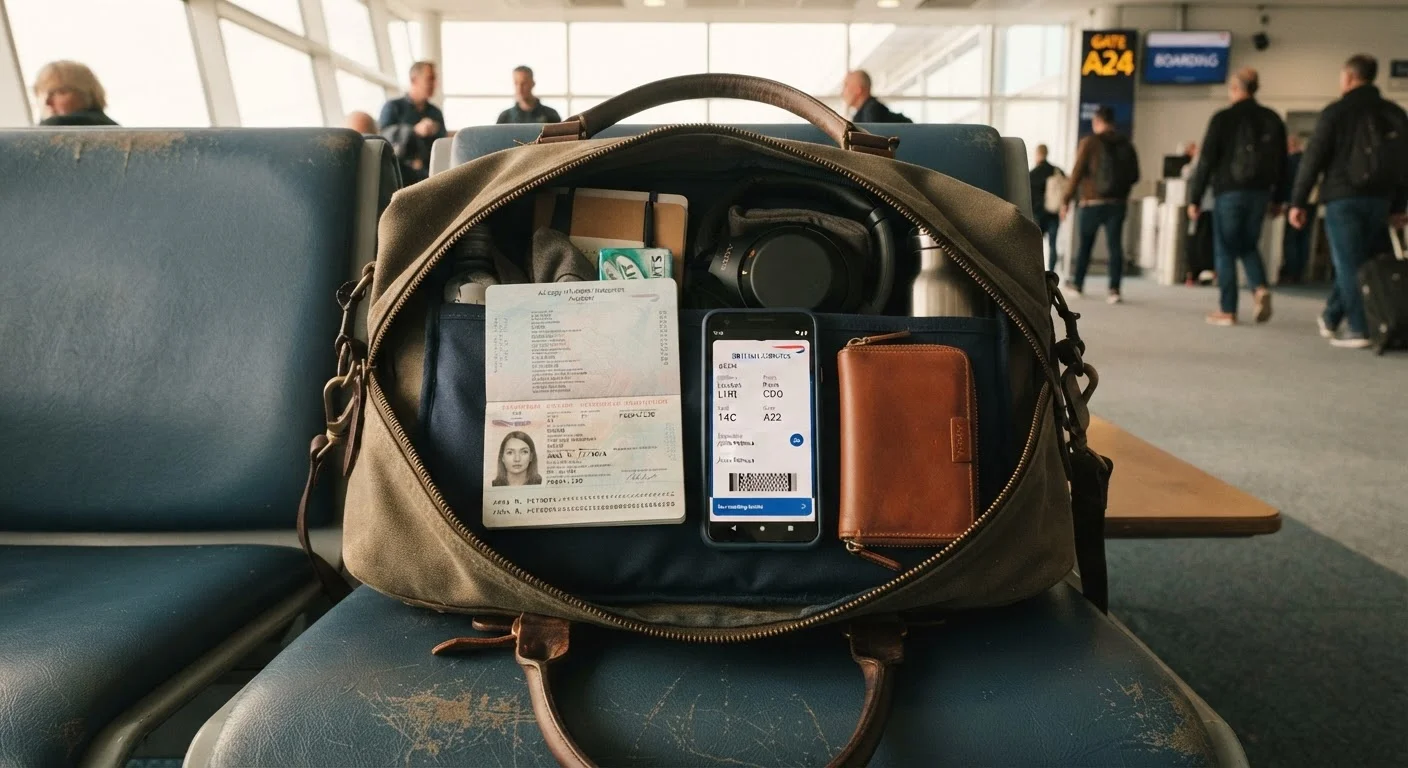
Key Takeaways
- Digital copies are convenient and lightweight but depend entirely on battery life and connectivity.
- Physical backups remain more universally accepted at borders, hotels, and official checkpoints.
- The most resilient travelers carry both formats, stored separately in case one is lost or stolen.
- Sensitive documents stored digitally need secure, encrypted storage — not just a camera roll.
- Always verify what official authorities require before departure, as rules vary by destination.
Instantly accessible without physical searching
A digital copy of your passport or insurance card can be retrieved in seconds, which is useful during fast-moving check-in lines or when you need to fill out arrival forms quickly.
Survives physical loss or theft of originals
If your wallet or travel pouch is stolen, cloud-stored documents give you something to show a consulate or police officer when reporting the incident and requesting emergency travel documents.
No added weight or space in your bag
Storing dozens of documents digitally adds zero bulk, which matters especially for carry-on-only travelers managing tight packing constraints.
Easy to update and share with travel companions
Digital files can be forwarded instantly to a travel partner, family member at home, or an emergency contact, making coordination simpler in a crisis.
Useless without battery or internet access
Remote areas, long layovers, and international roaming dead zones can all render a phone-based document strategy temporarily inaccessible at the exact moment you need it.
Not universally accepted by authorities
Some border crossings, visa-on-arrival counters, and local government offices do not accept digital images as valid substitutes for original or photocopied documents.
Security risk if device is lost or unsecured
Passport scans and insurance details stored without encryption or a strong lock screen can expose sensitive personal information if a device falls into the wrong hands.
Phone damage can wipe access instantly
A cracked screen, water damage, or a dead battery during transit can cut off access to all digitally stored travel information simultaneously.
Our Verdict
Neither format alone covers every situation a traveler is likely to face. Digital copies excel at speed and redundancy; physical documents carry authority and work without power or signal. Most experienced travelers treat the two as complementary, not competing.
Travelers who prepare both a secure digital backup and at least one physical copy of critical documents — stored separately from the originals — will be best positioned to handle disruptions without panic.
Why This Decision Matters More Than It Seems
Most travelers give little thought to document strategy until something goes wrong — a passport is lost at baggage claim, a phone dies during a layover, or a border officer asks for proof of onward travel. At that moment, whether you have a printed page or a phone screenshot can determine whether you board your next flight or spend hours at an embassy window.
The question isn't really digital or physical. It's about understanding the strengths and gaps of each approach so you can build a system that works across multiple failure scenarios. See our pre-departure checklist to make sure documents are covered well before departure day.
Instantly accessible without physical searching
A digital copy of your passport or insurance card can be retrieved in seconds, which is useful during fast-moving check-in lines or when you need to fill out arrival forms quickly.
Survives physical loss or theft of originals
If your wallet or travel pouch is stolen, cloud-stored documents give you something to show a consulate or police officer when reporting the incident and requesting emergency travel documents.
No added weight or space in your bag
Storing dozens of documents digitally adds zero bulk, which matters especially for carry-on-only travelers managing tight packing constraints.
Easy to update and share with travel companions
Digital files can be forwarded instantly to a travel partner, family member at home, or an emergency contact, making coordination simpler in a crisis.
The Case for Digital Copies
Storing scans of your passport, travel insurance policy, visa approvals, and hotel confirmations on your phone or in cloud storage means you can pull them up in seconds — without digging through a travel wallet. If your physical documents are stolen, a digital backup lets you prove your identity to a consulate or file a police report with supporting evidence on hand.
Cloud-based storage adds another layer: even if your phone is lost or damaged, you can access files from any internet-connected device. That said, the word "secure" matters here. Saving sensitive pages to a general photos folder is not the same as using an encrypted, password-protected storage service. Our guide on how cloud storage actually works explains what those distinctions mean in practice.
1 in 3
Travelers who have lost a document abroad
Industry travel surveys consistently find that a significant portion of international travelers have experienced lost or misplaced documents at some point during their travels.
72%
Smartphone battery drain on travel days
Heavy use of maps, boarding passes, and translation apps on travel days can drain a smartphone battery well before the end of a long travel day, according to device usage research.
The Case for Physical Copies
A printed photocopy of your passport biographical page, your travel insurance summary, and your accommodation confirmation costs almost nothing to produce and nothing to access mid-trip. It requires no battery, no signal, and no login. Border agents, hotel front desks, and local authorities across many countries still default to paper — and a physical copy can accelerate check-in processes when there's no time to fumble with a phone.
Physical copies also guard against a scenario many travelers overlook: device theft. If your phone is taken, a thief cannot access your paper documents. Keeping printed backups in a separate bag from both your phone and your originals means a single incident is unlikely to wipe out all your proof of identity at once. For tips on how luggage choices affect document security, see carry-on vs. checked luggage trade-offs.
Useless without battery or internet access
Remote areas, long layovers, and international roaming dead zones can all render a phone-based document strategy temporarily inaccessible at the exact moment you need it.
Not universally accepted by authorities
Some border crossings, visa-on-arrival counters, and local government offices do not accept digital images as valid substitutes for original or photocopied documents.
Security risk if device is lost or unsecured
Passport scans and insurance details stored without encryption or a strong lock screen can expose sensitive personal information if a device falls into the wrong hands.
Phone damage can wipe access instantly
A cracked screen, water damage, or a dead battery during transit can cut off access to all digitally stored travel information simultaneously.
Building a Practical Two-Format System
The simplest approach: keep originals on your person in a secure travel wallet, store physical photocopies in a separate bag or piece of luggage, and maintain encrypted digital copies accessible from multiple devices. Email yourself a PDF of key documents as a low-tech but reliable fallback — most email providers keep files available even when you're offline if you've previously opened them.
Before any international trip, confirm what your destination actually requires. Some countries accept digital proof of onward travel; others require a printed itinerary at the port of entry. Entry rules, visa conditions, and insurance requirements can change — always verify with official government sources and your airline before you fly. Our pre-trip safety and logistics checklist covers this step in detail.
What Counts as Acceptable Proof Varies by Country
Entry requirements, proof-of-onward-travel rules, and acceptable document formats differ significantly between destinations and can change without much notice. What works at one border may not be accepted at another. Always check current requirements through your destination country's official immigration or embassy website and your airline's documentation policies before you travel. Do not rely solely on traveler forums or third-party websites for entry-critical information.
Keeping your phone secure is just as important as what's stored on it. The guide to keeping personal devices secure offers straightforward habits that don't require technical expertise.